


Puzzle Time - Daily Puzzles!
4.29.00 Reviews
App Specs
- Version
- 8.4.2
- Updated On
- License
- Free
- Downloads
- 50,000+
- Developer
- Karma Games | Word Puzzles & Games to play daily
- Categories
- Word
- Platform
- Android
Screenshots
 Analysis by AppCompare
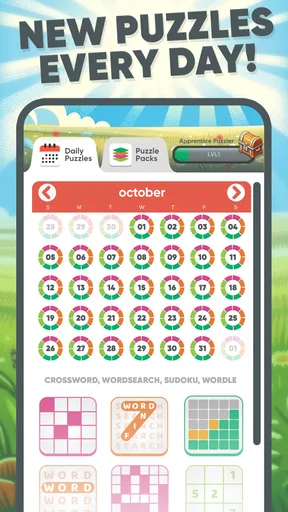
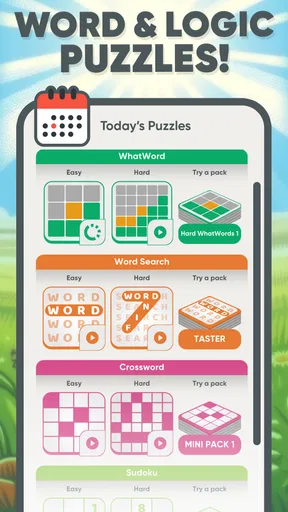
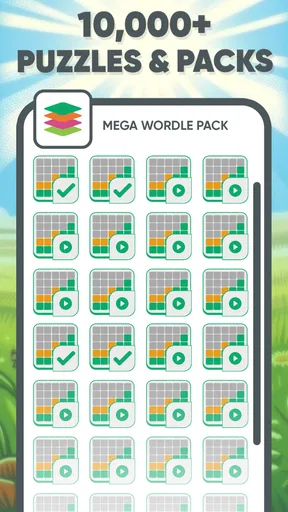
I opened Puzzle Time - Daily Puzzles! expecting a simple word-game break, but its broader mix makes it feel more like a small daily puzzle shelf than a single challenge. It brings together crossword-style play, word searches, Wordle-style guessing, Sudoku, and other brain teasers in one free game from Karma Games | Word Puzzles & Games to play daily. That variety matters most when my mood changes: sometimes I want clues and vocabulary, sometimes I want pattern recognition, and sometimes I only have enough attention for a quick grid.
My main focus while using it was not just whether the puzzles were enjoyable, but how comfortably different people could approach them. A puzzle game can be technically easy to understand and still become tiring because of dense screens, small controls, time pressure, or too much visual clutter. Puzzle Time has a friendly, low-pressure identity, but the experience is not equally suitable for every player or every situation. I found genuine strengths for casual daily use, along with a few barriers that are important to consider before installing it.
How the puzzle collection feels to read and navigate
I focus on how the collection’s different puzzle formats affect the way I read and move through the game, rather than treating it as one continuous challenge. That variety can make a brief session easier to tailor to my attention, though the letter grids and clue-based rounds ask for different kinds of focus. The next section looks at how those differences play out in everyday use.
A useful range instead of one repeated format
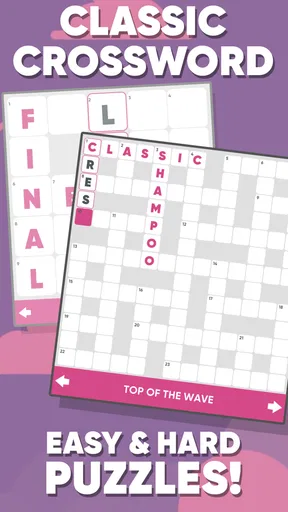
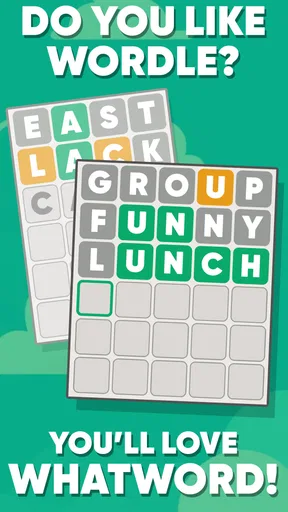
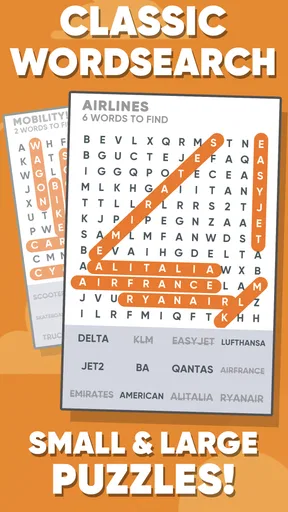
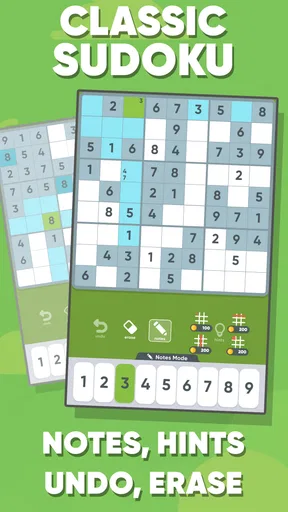
The strongest design choice is the collection itself. Crossword play asks me to interpret clues and fit answers into a structure. Word searches are more visual and let me scan for familiar letter patterns. Wordle-style rounds are built around deduction from limited attempts, while Sudoku shifts the task away from language and toward logic. That change of mental gear helps the game remain approachable for people who enjoy puzzles but do not always enjoy the same kind.
I would not describe the app as a deep specialist tool for any one format. Someone who wants an elaborate crossword archive, a highly competitive Wordle community, or a dedicated Sudoku trainer may find a focused alternative more satisfying. Puzzle Time makes a different trade-off: it gives me a convenient variety of familiar activities, so I do not need several separate apps for a short puzzle session.
Navigation is easiest when I treat the game as a menu of small activities rather than as one long campaign. I can choose the type of challenge that matches my energy, which is helpful on days when a difficult clue-based puzzle feels too demanding. That flexibility also supports mixed-ability households: one person can prefer word searches, another can choose Sudoku, and neither has to learn an entirely different app ecosystem.
Readability depends on the puzzle type
Text-heavy puzzles naturally place more emphasis on reading. Crossword clues require careful attention to wording, and Wordle-style play depends on distinguishing individual letters. Word searches demand a different kind of visual concentration because the answer may run across a grid in more than one direction. Sudoku reduces the reading burden, but it still depends on separating digits and tracking rows, columns, and boxes.
Worth Reading Before You Choose

EA SPORTS FC Mobile 26 Is a Bigger Football Game, but It Takes Time

Flipboard Shows What News Apps Must Do Beyond the Feed

Switching to Android Auto Means Rethinking Your Driving Routine

Google Calendar Makes a Crowded Week Easier to Manage

Ludo King Makes the Most of the Minutes Between Plans

Baby Panda World Brings Quick Play to Modern Phones, but Its Game Library Feels Busy
In my experience, the most comfortable approach is to avoid rushing. I use the clue-based formats when I have enough quiet to read each hint properly, then switch to a grid puzzle when I want something more visual. That sounds obvious, but it is one of the practical benefits of having several puzzle families together: I can adapt the activity to my concentration instead of forcing myself through a format that is currently tiring.
Players who need large text, strong contrast, or generous spacing should inspect the interface on their own device before committing to long sessions. Screen size and display settings can change how comfortable a letter grid feels. I would especially be cautious with smaller phones, where a dense word search or Sudoku board may require more visual effort than it does on a larger display.
Learning the interface without much explanation
The familiar nature of the puzzles lowers the learning curve. Most people already understand the basic idea of finding words, filling clues, guessing letters, or completing a Sudoku pattern. That means I can spend more time solving and less time studying instructions. It also makes the game suitable for occasional players who do not want a complicated progression system.
There is a small trade-off in that familiarity. Experienced puzzle players may want more control over difficulty, presentation, or solving tools than a compact multi-format game provides. New players may understand the objective but still need a few rounds to learn how this particular app presents clues, grids, and input. I recommend trying each format briefly rather than judging the whole game from the first puzzle.
Motor and sensory considerations during play
Each format asks for a different kind of physical interaction. Word searches involve dragging or tracing across letters, while Sudoku and letter-guessing activities usually require repeated taps. Crossword-style play may involve moving between clues and cells. For me, the variety prevents one repetitive gesture from dominating every session, but it also means that the most comfortable mode can change depending on hand fatigue or precision.
Someone with limited fine-motor control may find a puzzle easier when it mainly requires selecting large areas or tapping predictable buttons, and harder when it demands accurate movement across a tight grid. A stylus or larger screen could make some interactions more manageable, but that is a personal workaround rather than a guaranteed solution. I would not assume that every puzzle type offers the same physical comfort.
Players sensitive to visual busyness may prefer short sessions and the calmer formats. A letter grid can be demanding because many similar characters compete for attention at once. Sudoku is visually repetitive in a different way, with several rows and columns needing to remain mentally active. I found it useful to pause between rounds instead of treating the daily selection as something I had to complete in one sitting.
There is also a sensory advantage in the absence of a need for fast reflexes. This is not an action game, so the main challenge is reading, memory, deduction, and pattern recognition rather than rapid movement. That makes it a better fit for relaxed play than games that punish delayed reactions. Still, “relaxed” does not mean effortless: a difficult clue or crowded board can create mental strain even when the controls are simple.
A realistic everyday routine
My most useful routine was a short session during a transition in the day, such as waiting for an appointment or taking a break after finishing a task. I started with a word search when I wanted something immediately understandable, moved to a Wordle-style round for deduction, and saved Sudoku for a quieter moment. On a busy day, I did not try to complete every available type. The value was having a choice ready, not turning the app into another obligation.
This approach also helps with attention limits. If reading becomes tiring, I can move away from a clue-heavy activity. If scanning letters feels frustrating, I can try a number puzzle instead. That is a more inclusive use pattern than assuming every player should enjoy the same challenge in the same way. The app works best as a flexible break, not as a test of endurance.
Using it in shared and public spaces
Puzzle Time is easy to imagine in a shared setting because the activities are familiar and do not require a large explanation. A family member can choose a word search while someone else works on Sudoku. A teacher, caregiver, or group leader could potentially use the different puzzle styles as informal mental activities, although I would not treat it as a specialized educational or therapeutic tool.
In public spaces, the practical issue is concentration. Crossword clues and letter deduction are much harder when people are talking nearby. A word search may be easier to approach in short bursts, while Sudoku can become frustrating if I keep losing track of the board. The game is therefore situationally accessible rather than universally convenient: it adapts well to spare moments, but the more demanding formats still benefit from a calm environment.
What the free model means for different users
The game is free to download and is marked for Everyone, which makes it easy to try without a financial commitment at the start. Its average rating is 4.2 from around 700 ratings, and it has passed 50 thousand installs, so it has found a real audience without presenting itself as a niche specialist product. I see that as a useful sign of approachability, though popularity alone cannot guarantee that every puzzle style will suit every player.
Optional purchases range from $1.49 to $49.99 per item. That is worth keeping in mind for anyone managing spending on a shared device or allowing a child to explore independently. The free entry point is attractive, but I would review purchase controls before handing the device over. The age label of Everyone makes the game broadly suitable in principle, yet responsible device settings are still sensible whenever purchases are available.
The current version is 8.4.2, and the game supports Android 8.0 or later. That gives it a reasonably clear technical starting point for Android users deciding whether an older phone can run it. I would still judge comfort separately from compatibility: an app may install successfully on a smaller or older device while its grids remain less pleasant to read or tap.
Where the accessibility picture remains incomplete
The biggest limitation for me is that a varied puzzle collection does not automatically equal a fully adaptable experience. Different abilities can make the same board feel completely different. A player with dyslexia may find dense letter arrangements tiring, someone with reduced vision may need more space or magnification, and a person with hand pain may struggle with repeated tapping or dragging. The app’s range gives people more ways to play, but it does not remove those underlying demands.
I would also avoid recommending it as the only option for a player who depends on advanced accessibility customization. A dedicated puzzle app may offer a more consistent interface for one format, and a device-level accessibility setup may work better when the user already knows which display or interaction adjustments they need. Puzzle Time is more appealing when variety and convenience matter more than fine-grained control.
Another barrier is the mental switching between formats. For some players, choice is empowering; for others, several puzzle types can make the app feel less predictable. Someone who wants a steady routine may prefer one carefully focused game with a consistent board and input method. Here, the same app can be welcoming in one moment and slightly overwhelming in another, depending on how much choice the player wants.
Daily puzzle habits can also create an unintended sense of pressure. I personally get more value when I treat the puzzles as optional rather than as a checklist. If a player becomes frustrated by unfinished challenges or feels compelled to solve every format, the supposed relaxation can disappear. The best use is selective: pick the puzzle that fits your attention, physical comfort, and available time, then stop when it stops being enjoyable.
Who should choose it, and who should look elsewhere
I would recommend Puzzle Time to someone who wants several recognizable word and logic activities in one free game. It suits casual players, people who like changing formats, and anyone looking for a compact break that does not depend on fast reflexes. It is also a practical choice for households with different preferences, because the crossword, word-search, Wordle-style, and Sudoku options do not demand the same kind of thinking.
I would be more cautious about recommending it to a dedicated crossword solver who wants deep specialization, a competitive player seeking sophisticated rankings, or anyone who requires clearly defined accessibility controls before playing. A focused alternative may be better when one format, one input style, or one consistent visual layout is essential. Players who dislike optional purchases should also check their device safeguards before regular use.
My inclusive verdict
What I like most is the app’s practical flexibility. It does not force me to be a crossword person or a Sudoku person every day. I can choose a visually simple search, a language-based challenge, or a logic board according to my concentration. That makes the game more inclusive in spirit than a single-format puzzle, especially for casual players who want control over the kind of effort they make.
What keeps me from calling it universally accessible is the lack of certainty that every format will work equally well for every ability or device. Letter density, precise gestures, repeated taps, and sustained visual attention remain real considerations. I would test the app with the display settings and input method I actually plan to use, rather than relying only on its familiar puzzle names.
Overall, I see Puzzle Time as a friendly, useful collection for short, self-directed puzzle sessions. Karma Games | Word Puzzles & Games to play daily has combined enough variety to make the free experience worth trying, while the main compromises are the same ones that come with putting many formats into one compact app. My recommendation is to use it as a flexible daily puzzle shelf, not as a specialist accessibility solution. If that distinction matches what you need, it is an easy game to keep available for the moments when you want a little mental activity without committing to a long play session.
Pros
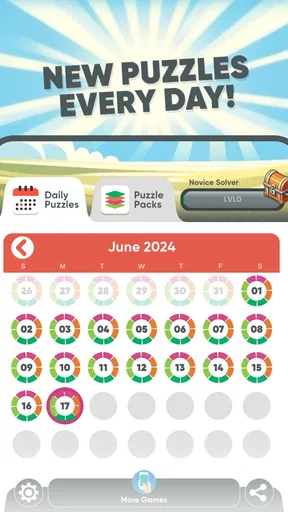
- Fresh daily puzzles provide a simple routine for quick mental breaks.
- Multiple puzzle types help keep the experience from feeling repetitive.
- Short sessions make it convenient to play during spare moments.
- Clean presentation keeps attention focused on solving each challenge.
- Daily goals can encourage consistent play and mental exercise.
Cons
- Some puzzles may feel too easy for experienced players.
- Missing a day can reduce motivation for users pursuing a perfect streak.
- Hints or extra features may be limited without optional purchases.
- Puzzle variety may not satisfy players seeking advanced difficulty.
- Progress can feel repetitive once the available challenges become familiar.
FAQs for Puzzle Time - Daily Puzzles!
What is Puzzle Time - Daily Puzzles!?
Puzzle Time - Daily Puzzles! is a casual puzzle app designed for short, regular play sessions. It offers daily brain teasers and logic-based challenges that can be completed whenever you have a few spare minutes. The format is easy to understand, making it suitable for both occasional players and people who enjoy maintaining a daily puzzle routine. Difficulty and puzzle types may vary depending on the available challenge.
Does Puzzle Time - Daily Puzzles! require an internet connection?
The app may need an internet connection to download new daily puzzles, synchronize progress, display advertisements, or access certain online features. Previously loaded content may remain available offline, but this can depend on the version of the app and the specific puzzle mode. If you plan to play while traveling, it is a good idea to open the app beforehand and confirm which challenges are available without a connection.
Is Puzzle Time - Daily Puzzles! free to download and play?
Puzzle Time - Daily Puzzles! can generally be downloaded without an upfront charge, allowing users to try its main features before deciding whether it suits them. However, free apps may include advertising, optional purchases, premium features, or other limitations. Before downloading, check the Google Play Store or Apple App Store listing for current pricing, subscription details, in-app purchase information, and any restrictions on access to particular puzzles.
Is Puzzle Time - Daily Puzzles! suitable for children?
The simple puzzle-focused format may be appropriate for many children, teenagers, and adults, but parents should still review the app’s store rating, privacy information, advertisements, and purchase settings. Some puzzles may require reading comprehension or more advanced reasoning than younger players have developed. If a child will use the app, enabling parental controls and preventing unauthorized in-app purchases is recommended.
What happens if I miss a daily puzzle in Puzzle Time - Daily Puzzles!?
The way missed challenges are handled can vary by app version. Some daily puzzle applications allow players to return to previous challenges, while others focus on the current day or use streak systems that may be affected when a puzzle is skipped. If maintaining a streak matters to you, check the app’s instructions and settings after installation. Progress may also depend on whether your account or device is synchronized.


